

Key Highlights
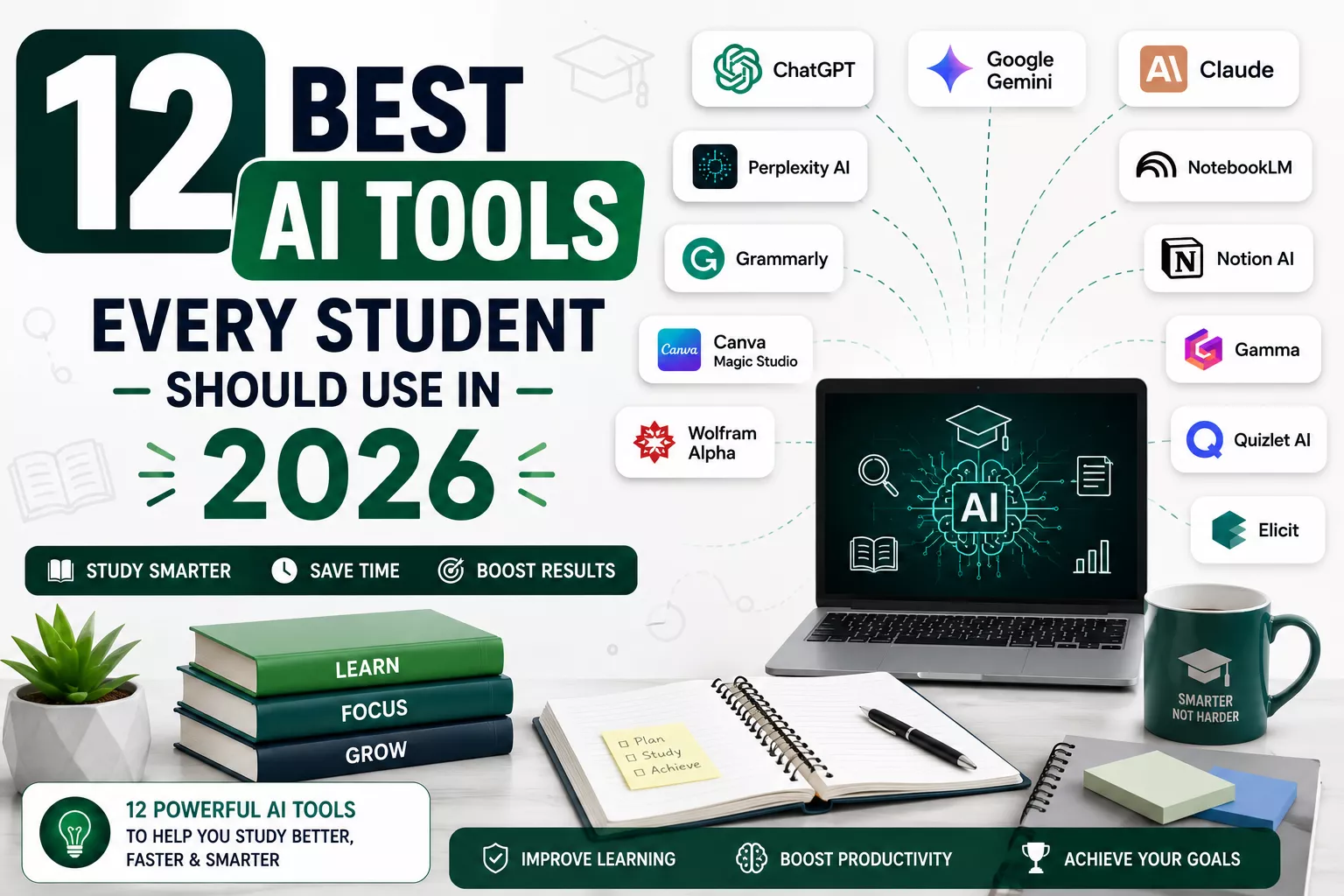
- Explore the 12 best AI tools for students to study smarter in 2026.
- Choose the right AI tool based on your learning and academic needs.
- ChatGPT is the best all-in-one AI assistant for everyday student tasks.
- Perplexity AI and Elicit make research faster with trusted sources and citations.
- NotebookLM turns your own notes and PDFs into personalized study guides.
- Grammarly and Claude help improve essays, assignments, and academic writing.
- Gamma and Canva Magic Studio simplify presentation and project creation.
- Wolfram Alpha provides step-by-step solutions for math and science problems.
- Quizlet AI makes exam preparation easier with AI-powered flashcards and quizzes.
- Most of the AI tools on this list offer free plans for students.
- Using multiple AI tools together delivers better results than relying on just one.
- AI works best as a study companion that supports learning, not replaces it.
Artificial intelligence is changing the way students learn, study and complete academic tasks. Whether you're preparing for exams, writing assignments, researching a topic, solving complex math problems or creating presentations, the right AI tool can help you work smarter and save valuable time.
Today, students have access to a wide range of AI-powered tools that can simplify everyday learning. From AI writing assistants and research tools to coding assistants, note-taking apps, presentation makers and productivity platforms, these solutions are helping students stay organized, understand concepts faster and improve their overall learning experience. Instead of spending hours searching for information or formatting assignments, students can focus more on understanding the subject and developing critical thinking skills.
In this guide, we've carefully selected 12 of the best AI tools every student should use in 2026 based on their features, ease of use, affordability and real-world value for students. Whether you're a school student, college student, university learner or preparing for competitive exams, you'll discover AI tools that can help you study more efficiently without making learning overly complicated.
By the end of this article, you'll know:
- Which AI tools are best for studying, homework and assignments.
- The best AI tools for research, essay writing, coding, note-taking and presentations.
- Which free AI tools for students are worth trying before paying for premium plans.
- The key features, advantages, limitations and pricing of each tool.
- How to choose the right AI tool based on your learning needs and academic goals.
Let's explore the best AI tools that can help you learn smarter, stay productive, and make studying easier in 2026.
Quick Comparison of the 12 Best AI Tools Every Student Should Use in 2026
Not every student needs the same AI tool. Some tools are excellent for research, while others are designed for writing assignments, solving mathematical problems, creating presentations or organizing study notes.
To help you choose quickly, we've compared the best AI tools for students based on their primary use case, free plan availability, supported platforms and our overall recommendation. If you're not sure which AI tool is right for your studies, this table is the perfect place to start.
| AI Tool | Best For | Ideal For | Free Plan | Platform |
| ChatGPT | Homework, writing, coding, brainstorming | School & College Students | Yes | Web, Windows, macOS, iOS, Android |
| Google Gemini | Research, learning, Google Workspace | Research & Daily Learning | Yes | Web, Android, iOS |
| Claude | Essay writing, summarizing, document analysis | Assignments & Academic Writing | Yes | Web, iOS, Android |
| Perplexity AI | Research with citations | Research Papers & Fact Checking | Yes | Web, iOS, Android |
| NotebookLM | Studying from PDFs and lecture notes | Textbooks, Class Notes & Revision | Yes | Web |
| Grammarly | Grammar checking and proofreading | Essays, Emails & Reports | Yes | Web, Windows, macOS, Browser Extension, Mobile |
| Notion AI | Note-taking and productivity | Study Planning & Project Management | Limited | Web, Windows, macOS, iOS, Android |
| Canva Magic Studio | Posters, presentations and visual projects | Creative Assignments & Design | Yes | Web, Windows, macOS, iOS, Android |
| Gamma | AI-powered presentations | Class Presentations & Study Slides | Yes | Web |
| Wolfram Alpha | Mathematics and STEM subjects | Math, Physics & Engineering | Yes | Web, iOS, Android |
| Quizlet AI | Flashcards and exam preparation | Revision & Self-Testing | Limited | Web, iOS, Android |
| Elicit | Literature reviews and academic research | College, University & Research Students | Yes | Web |
Which AI Tool Should You Choose?
If you're looking for a quick recommendation, here are our top picks based on different student needs:
- Best Overall AI Tool: ChatGPT
- Best AI Tool for Research: Perplexity AI
- Best AI Tool for Literature Reviews: Elicit
- Best AI Tool for Essay Writing: Claude
- Best AI Tool for Studying from PDFs: NotebookLM
- Best AI Tool for Mathematics: Wolfram Alpha
- Best AI Tool for Presentations: Gamma
- Best AI Tool for Grammar & Proofreading: Grammarly
- Best AI Tool for Note-Taking & Productivity: Notion AI
- Best AI Tool for Exam Preparation: Quizlet AI
- Best AI Tool for Creative Projects: Canva Magic Studio
- Best AI Tool for Google Workspace Users: Google Gemini
How We Selected These AI Tools
With hundreds of AI tools available today, choosing the right one can be confusing. To make this guide genuinely useful, we didn't just include the most popular tools. Instead, we selected the best AI tools for students based on the features that matter most in everyday learning and academic life.
Every tool on this list was evaluated using the following criteria:
- Accuracy: Does the tool provide reliable and relevant answers?
- Ease of Use: Can students start using it without a steep learning curve?
- Student-Friendly Features: Does it help with studying, research, assignments, note-taking, coding, or presentations?
- Pricing & Free Plan: Is there a useful free version, and does the paid plan offer good value?
- Privacy & Security: Does the tool handle user data responsibly and provide clear privacy controls?
- Mobile Accessibility: Is it available on mobile devices so students can study anytime, anywhere?
- Real-World Usefulness: Can it solve everyday academic challenges and improve productivity?
- Learning Support: Does it encourage better understanding and learning instead of simply generating answers?
The tools featured in this guide are chosen to help students save time, stay organized, and learn more effectively. Whether you're looking for an AI tool for homework, research, essay writing, coding or exam preparation, you'll find options that offer real value for different learning needs.
Discover the Best AI Tools for Every Student
1. ChatGPT
Best Overall AI Tool for Homework, Learning, Writing, Coding and Everyday Student Tasks
ChatGPT has become one of the most popular AI tools for students and for good reason. Whether you're working on a homework assignment, preparing for an exam, writing an essay, learning to code or trying to understand a difficult topic, ChatGPT can act like a personal study assistant that's available 24/7. It works best when you use it to understand concepts, improve your writing, practice questions or brainstorm ideas rather than copying its responses directly into assignments.

| Use Case |
| Homework Assistance |
| Research & Learning |
| Essay Writing |
| Coding & Programming |
| Mathematics |
| Brainstorming Ideas |
| Exam Preparation |
| Productivity |
Key Features
- Explains difficult topics in simple, easy-to-understand language.
- Helps solve homework questions across multiple subjects.
- Assists with essay writing, reports, and academic projects.
- Summarizes lengthy articles, PDFs, and study material.
- Generates practice questions and quizzes for revision.
- Helps students learn programming languages like Python, Java, C++ and JavaScript.
- Creates study plans and revision schedules.
- Assists with emails, presentations and academic communication.
- Supports text, images and document uploads in supported versions.
Pros
- Easy for beginners to use.
- Covers almost every academic subject.
- Saves time on research and brainstorming.
- Helps improve writing quality and grammar.
- Excellent for coding, debugging, and explaining code.
- Available on both desktop and mobile devices.
- Free plan available for everyday learning.
Cons
- Can occasionally provide incorrect or outdated information.
- Doesn't replace textbooks, teachers or reliable academic sources.
- Responses should always be fact-checked before using them in assignments.
- Some advanced features require a paid subscription.
Overall Verdict
ChatGPT is one of the most versatile AI tools available for students in 2026. It combines homework assistance, research support, writing help, coding guidance and productivity features in one platform. Whether you're a school student, college learner or university researcher, ChatGPT can make studying more efficient when used responsibly.
Explore ChatGPT: https://chatgpt.com
2. Google Gemini
Best AI Tool for Research, Google Workspace and Everyday Learning
Google Gemini is one of the best AI tools for students who rely on Google services like Docs, Gmail, Drive, Sheets and Slides. Gemini is designed to help students research topics, answer questions, summarize information, brainstorm ideas and complete academic tasks more efficiently.
One of Gemini's biggest strengths is its deep integration with the Google ecosystem. If you already use Google Classroom, Google Docs or Google Drive for your studies, Gemini can help you organize information, draft assignments, generate study notes and even assist with presentations without switching between multiple apps.
Like any AI tool, Gemini should be used as a learning companion rather than a replacement for your own thinking. Always verify important facts and follow your school's academic integrity guidelines when using AI-generated content.

| Use Case |
| Research & Learning |
| Homework Assistance |
| Essay Writing |
| Google Docs & Workspace |
| Coding & Programming |
| Mathematics |
| Presentations |
| Productivity |
Key Features
- Answers academic questions using Google's AI capabilities.
- Helps students research topics and explore concepts in simple language.
- Integrates with Google Docs, Gmail, Drive, Sheets and Slides.
- Summarizes lengthy articles, documents, and PDFs.
- Generates outlines, notes, and study materials.
- Supports image understanding and multimodal interactions.
- Assists with brainstorming, writing and project planning.
- Available on both desktop and mobile devices.
Pros
- Easy to use for students already using Google Workspace.
- Excellent for research and everyday learning.
- Integrates seamlessly with Google's productivity tools.
- Supports multiple input formats, including images and documents.
- Free version available for most users.
- Fast and responsive interface.
Cons
- Responses may occasionally require fact-checking.
- Some advanced AI features are available only with paid plans.
- Performance can vary depending on the complexity of the question.
- Less specialized than dedicated research tools for academic literature.
Overall Verdict:
Google Gemini is an excellent AI study companion for students who want a combination of research assistance, productivity and seamless integration with Google Workspace. It's particularly valuable for everyday learning, collaborative projects and organizing academic work.
Explore Google Gemini: https://gemini.google.com/
3. Claude
Best AI Tool for Essay Writing, Document Analysis and Academic Writing
Claude is one of the best AI tools for students who regularly work on essays, research papers, reports, assignments and lengthy study materials.
One of Claude's biggest strengths is its ability to analyze long documents without losing context. Whether you're reading research papers, reviewing lecture notes or working with lengthy PDFs, Claude can summarize key points, explain difficult concepts and answer questions based on the content. This makes it especially useful for college and university students who often deal with detailed academic material.
Claude also helps students improve the quality of their writing. It can organize ideas, rewrite paragraphs for better clarity, suggest stronger vocabulary and provide constructive feedback while maintaining a natural writing style. Instead of simply generating content, Claude encourages students to build well-structured and meaningful assignments. Although Claude is highly capable, students should still verify facts, add their own insights and follow their institution's academic integrity policies. It works best as a learning assistant that helps you understand and improve your work rather than replacing your own effort.

| Use Case |
| Essay Writing |
| Research & Learning |
| Document Analysis |
| Assignment Writing |
| Coding & Programming |
| Summarizing PDFs |
| Grammar & Writing Improvement |
Key Features
- Writes clear, natural, and well-structured academic content.
- Summarizes long PDFs, reports and research papers.
- Explains complex topics in simple language.
- Improves essays with better grammar, structure and readability.
- Helps brainstorm ideas for assignments and projects.
- Analyzes lengthy documents while maintaining context.
- Assists with coding, debugging and technical explanations.
- Supports file uploads for document analysis.
Pros
- Excellent for essays, reports, and academic writing.
- Produces natural and easy-to-read responses.
- Handles long documents and study materials effectively.
- Great for summarizing research papers and lecture notes.
- Beginner-friendly interface.
- Free plan available for everyday use.
Cons
- Can occasionally provide inaccurate information that should be verified.
- Some advanced capabilities are available only with paid plans.
- Not a replacement for academic research or original thinking.
- Availability of certain features may vary by region.
Overall Verdict
Claude is one of the best AI tools for students who want to improve their writing, understand lengthy documents and create high-quality assignments. If your studies involve essays, reports, research papers or document analysis, Claude is one of the most reliable AI assistants available in 2026.
Explore Claude: https://claude.ai/
4. Perplexity AI
Best AI Tool for Research, Fact-Checking and Finding Reliable Sources
When you're researching a topic for an assignment or looking for reliable information online, Perplexity AI is one of the best AI tools you can use. Unlike many AI chatbots that provide answers without showing where the information comes from, Perplexity AI includes citations and links to its sources. This makes it much easier for students to verify information and continue their research.
Developed as an AI-powered search and research assistant, Perplexity AI combines conversational responses with real-time web information. Instead of opening multiple websites and reading through long articles, you can ask a question in natural language and receive a well-organized answer with references to trusted sources.
Although Perplexity AI is excellent for research, students should still read the referenced sources, compare information from multiple perspectives and use critical thinking when preparing assignments.

| Use Case |
| Research & Fact-Checking |
| Homework Assistance |
| Research Papers |
| Essay Writing |
| Finding Reliable Sources |
| Coding & Programming |
| General Learning |
| Productivity |
Key Features
- Provides answers with citations from trusted sources.
- Searches the web in real time for the latest information.
- Summarizes articles, reports and web pages.
- Helps students research academic and general topics more efficiently.
- Suggests related questions to explore a topic in greater depth.
- Supports file uploads for analyzing documents.
- Organizes research into clear, easy-to-read responses.
- Available on desktop and mobile devices.
Pros
- Includes citations and source links with answers.
- Excellent for academic research and fact-checking.
- Saves time by summarizing information from multiple sources.
- Simple and beginner-friendly interface.
- Helps students discover additional resources for deeper learning.
- Free version available for everyday research.
Cons
- Some advanced research features require a paid subscription.
- Source quality can vary depending on the topic.
- AI-generated summaries should still be verified before use.
- Not a replacement for reading important academic papers in full.
Overall Verdict
Perplexity AI is one of the best AI research tools for students in 2026. If you frequently work on assignments, research papers, presentations or projects that require accurate information and reliable references, Perplexity AI is an excellent addition to your study toolkit.
Explore Perplexity AI: https://www.perplexity.ai/
5. NotebookLM
Best AI Tool for Studying from PDFs, Lecture Notes and Textbooks.
NotebookLM is one of the most useful AI tools for students who spend a lot of time reading lecture notes, textbooks, research papers and PDFs. Instead of searching the internet for answers, it uses the documents you upload as its primary source of information. This makes NotebookLM an excellent study companion because it helps you understand your own course materials.
You can upload lecture slides, class notes, research papers, textbooks or study guides and ask questions about the content. The AI provides answers based on your uploaded documents, making it easier to review subjects without switching between multiple resources. While NotebookLM can save a significant amount of study time, students should still read their course materials carefully and use the AI as a learning aid rather than a replacement for active studying.

| Use Case |
| Studying from PDFs |
| Lecture Notes |
| Research Papers |
| Exam Preparation |
| Homework Assistance |
| Summarizing Textbooks |
| Revision & Learning |
| Productivity |
Key Features
- Upload PDFs, lecture notes, textbooks and research papers.
- Answers questions using only your uploaded study materials.
- Creates concise summaries of lengthy documents.
- Generates study guides and revision notes.
- Helps explain difficult concepts in simple language.
- Creates practice questions for exam preparation.
- Organizes information from multiple documents into one notebook.
- Integrates with Google Workspace.
Pros
- Excellent for studying from your own course materials.
- Saves time by summarizing long documents.
- Makes exam revision faster and more organized.
- Easy-to-use interface.
- Helps students understand complex topics.
- Free to use with a Google account.
Cons
- Requires uploaded documents to provide the best results.
- Less useful for real-time web research than AI search tools.
- Advanced capabilities may change as the product evolves.
- Students should still verify important academic information.
Overall Verdict
NotebookLM is one of the best AI study tools for students in 2026. If you regularly study from PDFs, lecture notes, textbooks or research papers, it can help you learn faster, stay organized and prepare more effectively for exams.
Explore NotebookLM: https://notebooklm.google.com/
6. Grammarly
Best AI Tool for Grammar Checking, Proofreading and Academic Writing
Grammarly is one of the most trusted AI writing tools for students who want to improve the quality of their assignments, essays, research papers, emails and reports. While many people know Grammarly as a grammar checker, it has evolved into a complete AI writing assistant that helps students write more clearly, professionally and confidently.

| Use Case |
| Essay Writing |
| Grammar & Proofreading |
| Research Papers |
| Assignment Writing |
| Emails & Communication |
| Reports |
| Resume Writing |
| Productivity |
Key Features
- Detects grammar, spelling and punctuation mistakes in real time.
- Suggests clearer sentence structures and better word choices.
- Improves readability and overall writing quality.
- Provides AI-powered rewriting and editing suggestions.
- Helps adjust tone for academic, formal or professional writing.
- Works with Google Docs, Microsoft Word, web browsers and mobile devices.
- Checks for clarity, engagement and delivery.
- Includes plagiarism detection in selected premium plans.
Pros
- Very easy to use, even for beginners.
- Improves writing across almost every subject.
- Helps students learn from their writing mistakes.
- Integrates with popular writing platforms.
- Free version is sufficient for everyday writing tasks.
- Saves time during proofreading and editing.
Cons
- Some advanced writing features require a paid subscription.
- AI suggestions may occasionally change the intended meaning of a sentence.
- Plagiarism checking is available only in premium plans.
- Students should review suggestions instead of accepting every change automatically.
Tip: Don't simply accept every Grammarly suggestion. Read each recommendation carefully to understand why it was made. This helps you improve your writing skills while producing better academic work.
Overall Verdict
Grammarly is one of the best AI writing tools for students in 2026. If you regularly write essays, assignments, reports or emails, it can help you eliminate mistakes, improve clarity and communicate your ideas more effectively.
Explore Grammarly: https://www.grammarly.com/
7. Notion AI
Best AI Tool for Note-Taking, Study Planning and Productivity
Notion AI is an excellent AI-powered workspace that helps students organize notes, manage assignments, create study plans, and keep all their academic work in one place. Instead of using multiple apps for notes, to-do lists, and project management, students can manage everything from a single dashboard.
With AI features built into Notion, students can summarize lecture notes, generate meeting or class notes, create study schedules, brainstorm project ideas, and rewrite content for better clarity. Whether you're working on a group project or preparing for exams, Notion AI helps you stay organized and productive throughout the semester.

| Use Case |
| Note-Taking |
| Study Planning |
| Assignment Management |
| Project Organization |
| Writing Assistance |
| Productivity |
Key Features
- Organizes notes, assignments, and study materials.
- Summarizes lecture notes and documents.
- Creates study plans and task lists.
- Generates meeting and class notes.
- Helps brainstorm ideas and rewrite content.
- Supports collaboration for group projects.
Pros
- Clean and beginner-friendly interface.
- Keeps all study materials in one place.
- Excellent for planning and organization.
- Available on desktop and mobile devices.
- Free plan available.
Cons
- AI features are limited in the free plan.
- Takes some time to learn advanced features.
- Less suitable for deep academic research.
Overall Verdict
Notion AI is one of the best AI productivity tools for students. If you want to organize your academic life, manage assignments, and plan your studies more efficiently, it's a great choice.
Explore Notion AI: https://www.notion.so/product/ai
8. Canva Magic Studio
Best AI Tool for Presentations, Posters and Creative Projects
Canva Magic Studio helps students create professional-looking presentations, posters, infographics, resumes, and social media graphics without advanced design skills. Its AI features can generate presentations, edit images, remove backgrounds, and suggest layouts in just a few clicks.

| Use Case |
| Presentations |
| Posters & Infographics |
| Creative Assignments |
| Resume Design |
| Productivity |
Key Features
- AI-powered presentation creation
- Magic Write for content generation
- Image editing and background removal
- Thousands of ready-made templates
- Team collaboration
Pros
- Beginner-friendly interface
- Large template library
- Free plan available
- Great for visual assignments
Cons
- Some premium templates require a paid plan
- Limited advanced design customization
Why Students Should Use It
If you have to prepare a classroom presentation or design an infographic for a project, Canva Magic Studio can generate professional visuals in minutes, helping you focus more on your content than the design.
Explore Canva Magic Studio: https://www.canva.com/magic-studio/
9. Gamma
Best AI Tool for Creating Professional Presentations and Study Slides
Gamma is an AI-powered presentation tool that helps students create professional and engaging presentations in minutes. Instead of designing slides manually, you simply enter a topic or prompt and Gamma automatically generates a well-structured presentation with content, visuals, layouts and formatting.
This makes Gamma an excellent choice for students who need to prepare classroom presentations, seminar slides, project reports or assignment presentations quickly. The generated slides are fully editable, allowing you to customize the content, add your own research and personalize the design before presenting. \

| Use Case |
| Classroom Presentations |
| Seminar Slides |
| Project Reports |
| Assignment Presentations |
| Productivity |
Key Features
- Creates presentations from a simple text prompt.
- Automatically generates content and slide layouts.
- Modern, professional presentation templates.
- Supports images, charts and embedded media.
- Easy sharing and online collaboration.
- Fully editable AI-generated slides.
Pros
- Saves hours of presentation preparation.
- Clean and visually appealing slide designs.
- Very easy for beginners to use.
- Great for school and college presentations.
- Free plan available.
Cons
- Some advanced features require a paid plan.
- AI-generated content should be reviewed and customized.
- Limited offline editing capabilities.
Tip: Use Gamma to create the first draft of your presentation, then personalize it with your own insights and examples to make it more engaging and original.
Overall Verdict
Gamma is one of the best AI presentation tools for students in 2026. If you regularly create presentations for school, college or university projects, Gamma can help you build professional-quality slides in a fraction of the usual time.
Explore Gamma: https://gamma.app/
10. Wolfram Alpha
Best AI Tool for Mathematics, Science, Engineering and Step-by-Step Problem Solving
Wolfram Alpha is one of the best AI tools for students studying mathematics, physics, chemistry, engineering, statistics, and other STEM subjects. Unlike a traditional chatbot, it is a computational knowledge engine that solves problems using mathematical algorithms and provides step-by-step explanations.
Whether you're solving algebra equations, calculus problems, physics formulas, chemical equations, or statistical calculations, Wolfram Alpha helps you understand the complete solution instead of simply giving the final answer. This makes it an excellent learning companion for school, college, and university students.

| Use Case |
| Mathematics |
| Physics |
| Engineering |
| Chemistry |
| Statistics |
| Problem Solving |
Key Features
- Solves mathematical equations with step-by-step solutions.
- Performs scientific and engineering calculations.
- Generates graphs, charts and visualizations.
- Supports calculus, algebra, geometry, trigonometry and statistics.
- Explains formulas and mathematical concepts.
- Provides accurate computational results.
Pros
- Extremely accurate for STEM subjects.
- Step-by-step explanations improve learning.
- Covers a wide range of mathematical and scientific topics.
- Trusted by students, teachers and researchers.
- Free version available for basic calculations.
Cons
- Less useful for essay writing or research projects.
- Some advanced features require a Pro subscription.
- The interface may feel technical for beginners.
Tip: Use Wolfram Alpha to understand how a problem is solved rather than simply checking the answer. This approach improves your problem-solving skills and prepares you better for exams.
Overall Verdict
Wolfram Alpha remains one of the best AI tools for students studying mathematics and science in 2026. If your coursework includes equations, formulas, graphs or complex calculations, this tool can help you learn concepts faster and solve problems with confidence.
Explore Wolfram Alpha: https://www.wolframalpha.com/
11. Quizlet AI
Best AI Tool for Flashcards, Revision and Exam Preparation
Quizlet AI is one of the best AI learning tools for students who want to revise smarter and prepare for exams more effectively. Instead of spending hours creating flashcards manually, Quizlet AI can generate flashcards, practice quizzes and study sets from your notes, textbooks or uploaded documents.
It uses AI to help students memorize key concepts, improve recall and identify weak areas before exams. Whether you're studying biology, history, mathematics, languages or any other subject, Quizlet AI makes revision more interactive and engaging.

| Use Case |
| Exam Preparation |
| Flashcards |
| Revision |
| Self-Testing |
| Memorization |
| Productivity |
Key Features
- Generates AI-powered flashcards from study material.
- Creates quizzes and practice tests automatically.
- Tracks learning progress and performance.
- Supports multiple study modes.
- Available on desktop and mobile devices.
- Helps identify topics that need more revision.
Pros
- Makes revision faster and more engaging.
- Excellent for memorizing important concepts.
- Easy-to-use interface.
- Great for self-testing before exams.
- Free plan available.
Cons
- Some AI features require a paid subscription.
- AI-generated flashcards should be reviewed for accuracy.
- Less useful for in-depth research or essay writing.
Tip: Use Quizlet AI for daily revision rather than only before exams. Regular practice with flashcards and quizzes can improve long-term memory and help you perform better in tests.
Overall Verdict
Quizlet AI is one of the best AI tools for students preparing for quizzes, exams and competitive tests. If your goal is to remember concepts, revise faster and track your learning progress, Quizlet AI is an excellent study companion.
Explore Quizlet AI: https://quizlet.com/
12. Elicit
Best AI Tool for Academic Research, Literature Reviews and Research Papers
Elicit is an AI-powered research assistant designed specifically for students, researchers and academics. Unlike general AI chatbots, Elicit searches academic papers and research publications to help you find reliable evidence, compare studies, summarize findings and speed up literature reviews.
If you're writing a dissertation, thesis, research paper or evidence-based assignment, Elicit can save hours of manual research by identifying relevant studies and highlighting the most important information. This makes it especially valuable for university students who need credible academic sources.

| Use Case |
| Academic Research |
| Literature Reviews |
| Research Papers |
| Thesis & Dissertation |
| Finding Research Sources |
| Productivity |
Key Features
- Searches academic papers and research publications.
- Summarizes research findings in simple language.
- Compares multiple studies side by side.
- Helps with literature reviews.
- Extracts important insights from research papers.
- Organizes evidence for academic writing.
Pros
- Built specifically for academic research.
- Saves significant time during literature reviews.
- Easy-to-understand summaries.
- Excellent for university students and researchers.
- Free plan available.
Cons
- Less useful for school-level homework.
- Some advanced research features require a paid subscription.
- Should be used alongside traditional academic research methods.
Tip: Use Elicit to discover relevant research papers and build your literature review, but always read the original studies before citing them in your academic work.
Overall Verdict
Elicit is one of the best AI research tools for college and university students in 2026. If your work involves literature reviews, dissertations, research papers or academic projects, it can significantly improve your research workflow and help you find high-quality scholarly sources faster.
Explore Elicit: https://elicit.com/
Which AI Tool is Best for Different Student Needs?
Not every AI tool is designed for the same purpose. Some are better for writing assignments, while others are built for research, presentations, note-taking or exam preparation. Choosing the right AI tool depends on what you're trying to accomplish.
The table below makes it easier to find the best AI tool based on your academic needs. Whether you're writing an essay, solving math problems, preparing for exams or creating a presentation, you can quickly identify the tool that's best suited for the task.
| If You Want To... | Best AI Tool | Why It's the Best Choice |
| Write essays and assignments | Claude | Produces well-structured, natural writing and helps improve essays. |
| Get homework help | ChatGPT | Explains concepts, solves problems, and answers questions across different subjects. |
| Research with reliable sources | Perplexity AI | Provides answers with citations and links to trusted sources. |
| Study from lecture notes and PDFs | NotebookLM | Uses your uploaded study materials to create summaries and answer questions. |
| Check grammar and improve writing | Grammarly | Corrects grammar, spelling, punctuation, and improves clarity. |
| Organize notes and manage study plans | Notion AI | Keeps notes, assignments and study schedules organized in one place. |
| Create presentations quickly | Gamma | Generates complete presentation slides from a simple prompt. |
| Design posters, infographics and creative projects | Canva Magic Studio | Makes it easy to create professional visuals using AI-powered design tools. |
| Solve math and science problems | Wolfram Alpha | Provides accurate answers with step-by-step explanations for STEM subjects. |
| Prepare for exams and revise faster | Quizlet AI | Creates flashcards, quizzes and practice tests to improve revision. |
| Find academic research papers | Elicit | Searches scholarly papers and summarizes research for literature reviews. |
| Work within Google Docs, Gmail and Drive | Google Gemini | Integrates seamlessly with Google Workspace to improve productivity. |
Free vs Paid AI Tools for Students
One of the most common questions students ask is whether they need to pay for AI tools. The good news is that all of the AI tools featured in this guide offer a free plan, making them accessible for school, college and university students.
For most everyday tasks like homework, note-taking, research, presentations and exam preparation, the free versions are more than enough. However, if you regularly use AI for advanced research, large projects, or professional work, upgrading to a paid plan may provide additional features, faster responses and higher usage limits.
| AI Tool | Free Plan | Paid Version Worth It? | Best For |
| ChatGPT | Yes | Yes | Everyday learning, homework, writing, coding, brainstorming |
| Google Gemini | Yes | Optional | Google Workspace, research, productivity |
| Claude | Yes | Optional | Essay writing, assignments, document analysis |
| Perplexity AI | Yes | Optional | Research, fact-checking, cited sources |
| NotebookLM | Yes | Not necessary for most students | Studying lecture notes, PDFs, textbooks |
| Grammarly | Yes | Yes | Grammar checking, proofreading, academic writing |
| Notion AI | Yes | Optional | Note-taking, study planning, productivity |
| Canva Magic Studio | Yes | Optional | Presentations, posters, creative projects |
| Gamma | Yes | Optional | AI-powered presentations and slides |
| Wolfram Alpha | Yes | Yes (for STEM students) | Step-by-step math and science solutions |
| Quizlet AI | Yes | Optional | Flashcards, quizzes, exam preparation |
| Elicit | Yes | Optional | Literature reviews, academic research |
Frequently Asked Questions (FAQs)
1. What is the best AI tool for students in 2026?
There isn't a single AI tool that's best for every student because each tool serves a different purpose. ChatGPT is an excellent all-round assistant for learning, homework and brainstorming, while Perplexity AI is better for research with citations, NotebookLM is ideal for studying from lecture notes and Grammarly helps improve writing. The best choice depends on your academic needs.
2. Which AI tool is completely free for students?
Most of the AI tools in this guide offer a free plan, including ChatGPT, Google Gemini, Claude, Perplexity AI, NotebookLM, Grammarly, Notion AI, Canva Magic Studio, Gamma, Wolfram Alpha, Quizlet AI and Elicit. Their free versions are suitable for most everyday study tasks.
3. Can students use AI for homework?
Yes. AI can help students understand concepts, explain difficult topics, solve practice problems, summarize information and generate study materials. However, students should use AI as a learning assistant rather than copying answers directly into assignments.
4. Which AI tool is best for writing essays and assignments?
Claude is one of the best AI tools for academic writing because it produces clear and well-structured content. Grammarly is also helpful for checking grammar and improving clarity, while ChatGPT can assist with brainstorming ideas and creating outlines.
5. What is the best AI tool for research and finding reliable sources?
Perplexity AI is one of the best options because it provides answers with citations and links to trusted sources. For academic papers and literature reviews, Elicit is an excellent choice because it focuses on scholarly research instead of general web content.
6. Which AI tool is best for creating presentations?
Gamma is ideal for generating complete presentations from a simple prompt, while Canva Magic Studio is better for designing visually attractive presentations, posters and infographics.
7. Which AI tool is best for solving math problems?
Wolfram Alpha is one of the best AI tools for mathematics because it provides accurate calculations and step-by-step solutions. ChatGPT can also explain mathematical concepts, but Wolfram Alpha is generally more reliable for advanced STEM subjects.
8. Can AI tools help students prepare for exams?
Yes. AI tools like NotebookLM can summarize lecture notes, while Quizlet AI generates flashcards and practice quizzes for revision. ChatGPT can also explain difficult concepts and help students test their knowledge before exams.
9. Are AI tools safe for students?
Most popular AI tools are safe when used responsibly. Students should avoid sharing personal or sensitive information, review the privacy policy of each platform and always verify important facts before using AI-generated content in assignments or research.
10. Should students pay for AI tools?
For most students, the free versions are sufficient for homework, research, writing, and exam preparation. Paid plans are worth considering only if you need advanced features, higher usage limits or professional tools for research and content creation.
11. Can AI replace studying?
No. AI can make studying easier by explaining concepts, organizing notes and creating revision materials, but it cannot replace understanding the subject yourself. The best results come from using AI to support learning, not to avoid it.
12. Which combination of AI tools is best for students?
A practical combination is ChatGPT for everyday learning, Perplexity AI for research, NotebookLM for studying lecture notes, Grammarly for proofreading, Gamma or Canva Magic Studio for presentations, Quizlet AI for exam preparation and Elicit for academic research. Using different tools for different tasks helps students study more efficiently.